

APP STORE OPTIMIZATION BLOG
Gummicube Blog
Want more ASO Tips?
How to Avoid Being Rejected from The Google Play Store
Posted on February 2nd, 2018
Over the past few years, Google has worked hard to increase trust in the Play Store by constantly removing bad apps and improving their technology to make sure similar apps never appear in the first place. This hasn’t been easy for them since they rely on an automated approval process rather than human interaction, but their algorithm has come a long way. In the fight against the bad seed developers, 2017 was a banner year, with over 700,000 apps either being taken down or denied, which was a 70% increase over 2016. Google claims that 99% of these apps were caught during the approval process and never reached the Play Store. Along with this, they have begun to deal with repeat offenders, with 100,000 developers being banned outright. While it’s not perfect, Google attributes their success to increased reliance on machine learning technology, which has successfully identified and blocked copycat apps, apps with inappropriate content, and Potentially Harmful Applications (PHA). When you’re ready to submit your app to the Google Play store, here are a few helpful tips to prevent it from being rejected: Make Sure You Own All Your Content The most common type of apps that Google looks for is copycat apps, which accounted for over 250,000 of the 700,000 caught last year. Google describes these as “attempting to deceive users by impersonating famous apps.” This can range from completely stealing an app’s code to copying the icon. However, not all apps turned down by Google as copycat apps are copies on purpose. Some apps simply don’t have a license for the assets they use. This reason is why it is important to either create original content or make sure you have all the rights to anything you use, both in your creatives and within the app itself.

Mobile App Trends: What to Look Out for in 2018
Posted on December 23rd, 2017
2017 was a huge year for app developers, and companies, publishers and more have realized that mobile apps are more than a novelty: they’re a necessity. The number of mobile apps on the App Store and Google Play Store exploded past 2 million combined in 2017. Along with the number of mobile apps increasing, according to Statista, the number of free mobile downloads is supposed to surpass 253 billion at the end of 2017. The mobile apps market is thriving, and if 2017 has been any indicator, 2018 will be just as big, perhaps even bigger. While 2017 was finally the year that developers realized ASO is no longer a hidden gem but instead a necessary tool, they also noticed specific trends such as augmented reality, wearable apps and others. Here’s a list of some mobile app trends to out for in 2018: 1. Augmented Reality (AR) Apps – Another Element to Life While Pokémon Go was the big AR app for 2016, it’s popularity carried over into 2017, and made way for more app developers to integrate the technology into their apps. AR technology has been introduced to tons of apps, including shopping apps like Amazon and Ikea. Even children’s apps have begun integrating the technology into their apps to allow kids to draw, play or even create 3D models. As we move into 2018, we’ll see more developers such as ones in real estate, healthcare and more hop on the AR bandwagon. These developers have already started integrating the technology into their apps in 2017, but it’s likely to become more rampant in 2018.
The Pros & Cons of Apple Pre-Order: Is it Right for You?
Posted on December 20th, 2017
On Dec. 11th, Apple announced a new feature in the App Store for all developers: Apple Pre-Order. The new feature presents developers with the option to let users pre-order their app before its official release date. The addition of Apple Pre-Order adds another layer of discovery, benefitting app developers. It drives initial hype around their app, allowing them to create their app store listing to start driving visibility. Contrary to a similar feature that the Google Play Store has called Pre-Register, the quietly released Apple Pre-Order will provide users a faster way of getting the latest apps before they're released. Google's service only notifies a user when the newly released app is available, but doesn't automatically download the app to the customers' device or lock in the pre-order price. Apple Pre-Order, on the other hand, automatically downloads to the user's device, and sends a notification.
5 reasons why Your UAC Strategy is Failing
Posted on December 13th, 2017
On September 15th, 2017, Google shook up the mobile marketing world and announced that AdWords will be moving all app install campaigns to a new Universal App Campaigns (UAC) format.
Apple Releases Two New Search Ads Programs
Posted on December 8th, 2017
As the holidays are quickly approaching, Apple is giving developers the gift of Search Ads Basic and Search Ads Advanced, their newly released Search Ads programs. Since Apple announced Search Ads in late 2016, they have been a vital tool for developers expanding their app’s audience and visibility. They have also greatly helped developers understand the need to optimize their app’s metadata using ASO. Thanks to Apple’s two new programs, app developers of all types can start using Search Ads to compete against their competitors. The new programs aren’t necessarily targeting a certain demographic of app developers, but are instead trying to help them all understand how
iPhone X – Tips on Creating Screenshots
Posted on November 10th, 2017
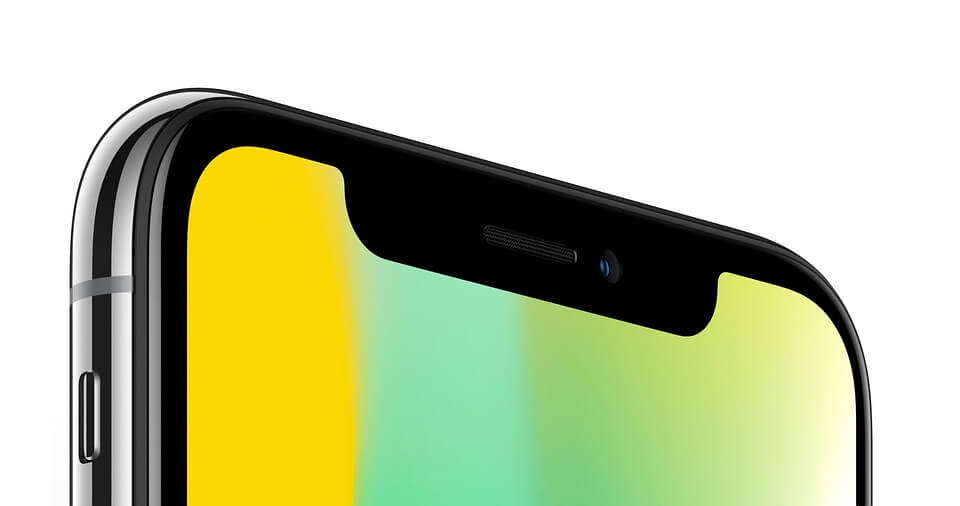
Now that the iPhone X is released to the public, more and more app developers are realizing that they’ll need to create different sized screenshots to accommodate the new display size. While many users are excited about the brand-new retina display, they are also excited about its 5.8-inch display, which is larger than any iPhone Plus display of 5.5-inches. iPhone X screenshots are currently optional, but they will not size down to scale for other devices, meaning developers will need to create another set of screenshots just for the iPhone X. If developers want their users to get a feel for how their app would look and feel on the iPhone X, it’s smart to bite the bullet and create screenshots that match the required resolution. Below are the resolution sizes for the new iPhone X screenshots:

Complete ASO Solution
Gummicube addresses every aspect of ASO from technology to execution and measurement
GET STARTED
iPhone X Screenshots – Be Prepared for Nov. 3rd
Posted on November 2nd, 2017
Now that users and developers alike are used to iOS 11, they have a new iOS device to get ready for. The iPhone X is nearly here and Apple has kindly reminded app developers to get their apps and screenshots ready for the device. Since the iPhone X features a different sized screen, developers need to make sure that their app and screenshots will work with the phone. Developers can currently test their apps using the iPhone X simulator in Xcode to capture screenshots and upload their new metadata and app into iTunes Connect. Developers cannot forget about their creatives, especially with a new device being released. Creatives are key for converting users, and developers need to make sure that their screenshots are ready and looking good on all of Apple’s devices. Here are some things developers need to think about when creating screenshots for the iPhone X:
The App Store Surfaces Old Reviews; Are There Fixes?
Posted on October 16th, 2017
Despite the anticipation behind iOS 11, many users and developers alike took note that the App Store was prioritizing old reviews first when the beta for iOS 11 was released, but now that it has launched, it seems those old reviews are still present. Previously, users could sort reviews by “Most Recent,” “Most Helpful,” “Most Favorable” or “Most Critical. Without those filter options, users are stuck seeing old reviews on outdated version of an app. Many developers are worried that these old reviews could deter new users from converting, meaning that they are losing out on improving their install and retention rate despite their app no longer having these issues brought up by users. While developers are worried about what their users are thinking, there is a way to combat old reviews until Apple either shows reviews in reverse chronological order or adds filter for users. Developers can take advantage of replying to old reviews to encourage users to either test the current version of the app and hope they write a new review or update their previous review with high star ratings.
New iTunes Update Removes the App Store
Posted on October 3rd, 2017
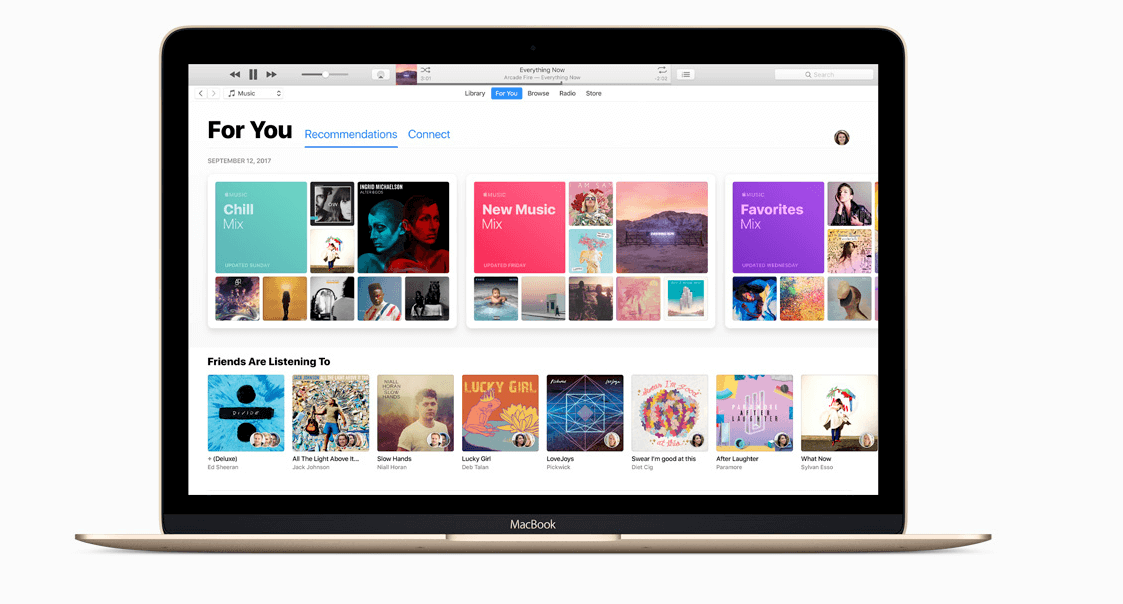
Before the world met the newly designed App Store, many noticed that Apple made significant changes to their latest version of iTunes. This change completely removes the App Store from iTunes, returning the app to its original function of a music and entertainment player. For years, users have been able to get their iOS apps directly from iTunes, making the app massive and considered an all-in-one platform. Apple has taken significant steps in streamlining iTunes, most likely to match the newly redesigned App Store that launched on September 19th. Since its inception, the App Store gave users the flexibility to move apps around on their mobile devices and store old apps on their PC or Mac in the event they wanted to install them again. iTunes saved all data of purchased or free apps connected to that account, combining the functions of iTunes and the App Store. Even though iTunes is shifting its focus back to being the number one place for music, movies, TV shows, podcasts and audiobooks, many wonder what this means for their previously downloaded apps, and how “black hat” companies will respond? Where to Find Apps When looking at the overall body of changes introduced by Apple with iOS 11, it is very clear that the App Store team is trying to put the final nail in the coffin for companies that focus on buying incentivized installs to boost their chart rankings. In addition to relegating the ‘charts’ to a much smaller and less prominent presentation in the App Store (meaning fewer people will view them), this new change with iTunes will make it very hard for “black hat” off shore marketing companies who operate app install farms to survive. It is much harder (and more expensive) for these less-than-reputable companies to drive downloads from real mobile devices than it is to simply use iTunes from the desktop to trigger installs for a given target territory. Apple removing the App Store from iTunes also means that users will no longer be able to hoard old apps or reinstall directly from iTunes. Once iTunes 12.7 is downloaded, users who have been syncing apps through iTunes will need to redownload them onto their devices, which Apple has helpfully laid out here: guide to redownloading apps. By defining iTunes as a source for music, podcast, TV, audio books, and movies and redesigning the App Store, Apple has finally defined the intended purpose for both iTunes and the App Store, along with making it harder for “black hat” companies to operate. Finally, Apple’s two stores are separated for the first time in 9 years, giving Apple room to expand their efforts toward creating a beneficial experience for everyone across both platforms.
iOS 11 Checklist: Be Prepared Before Sep. 19th
Posted on September 19th, 2017
Apple has finally announced when users can expect iOS 11 to launch, and that golden day is September 19th. For months, developers have been rapidly gathering their resources to make sure their app’s metadata is prepared for the all-new App Store. In order to make sure your app won’t get rejected or lose any of its visibility, look at our checklist for iOS 11 just in case you need to make any last-minute adjustments.
Google Cracks Down on Glitchy Apps
Posted on August 9th, 2017
Quality over quantity is a concept that is increasingly difficult to achieve in the app market, especially on Google Play. Currently, the Play Store has over 2 million available apps, but in an attempt to help users find quality apps and games, Google has made drastic changes to their search algorithm. Google will now hide crashing apps from the Play Store and display higher quality apps more often than lower quality apps. The tech company made its decision after conducting an internal analysis of current app reviews on Google Play, where they noted that half of 1-star reviews mentioned app stability. Hiding apps that crash is Google’s way of trying to meet users’ expectations for performance and quality, and essentially weed out unstable apps and games. Google has expressed that they have already seen a positive impact on user engagement, and that users have already been able to use higher quality apps, which has in-turn lowered uninstall rates. Despite Google hearing positive praises from users, what about the developers? For those that fear their app or game falls into this category, there are ways they can monitor their app’s performance to ensure their app will not be hidden by Google’s new search algorithm.
App Store vs Google Play: Revenue & Downloads
Posted on July 20th, 2017
With the close of Q2, we’re looking back to the beginning of the year to see how revenue and downloads changed thus far for giants of the mobile industry. The numbers are in, and companies like Google and Apple reported positive net revenue, in addition to overall growth of the App Store and the Google Play Store. Google announced back in May of 2017 that the company saw 82 billion downloads from the Google Play Store in 2016, causing surge of revenue for the tech company and app developers. Apple echoed this number by stating at WWDC 2017, the App Store attracts over 500 million weekly visitors and has achieved 180 billion app downloads. On top of this information, it has been reported that across both stores, there as $15 billion in downloads at the end of Q1 2017. Across iOS and Android, downloads also grew 15 percent year-over-year. As the number of downloads and revenue continues to grow, it begs the question what is in store for the app market? Which Company Had More Growth? Despite Google being labeled as the clear winner of global app downloads, Apple is closing the gap in revenue growth. The App store saw 45 percent increase in consumer spending compared to Google’s 40 percent year-over-year growth. Apple now leads in consumer spending by 100 percent, up from their 90 percent lead in Q1 2016. Regardless of Apple being the leader in consumer spending, the company still has catching up to do on the global scale. Globally, most of the phones that shipped in Q4 2016 were Android. This is not surprising considering that Android software is used across multiple devices and the price of Android phones is relatively lower than that of an iPhone. Along with the large number of Android phones shipped last year, third-party Android app stores are also on the rise, especially in China, one of the leaders in the app market. Some of the marketplaces include Tencent, Baidu, and more. Other than China, Google Play is exceptionally recognized in India, as indicated by several of Google’s presentations at I/O 2017. Google has essentially cornered the market in India, making it a key factor in the tech company’s year-over-year growth of 40 percent. Even though Apple has catching up to do in the global app market, the numbers both companies have reported for Q1 2017 are astounding. This immediate progression only meant that the demand of mobile apps will continue to increase.